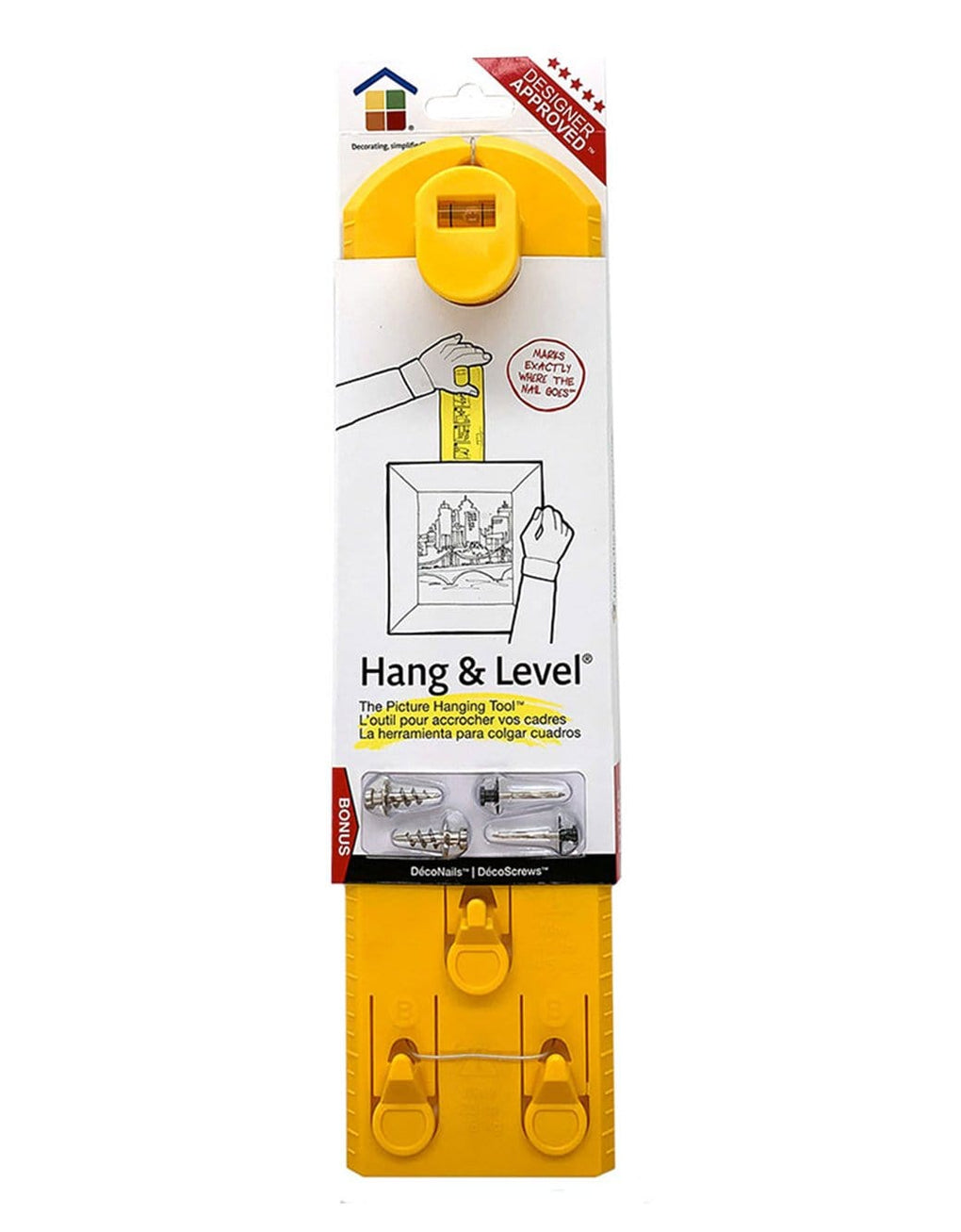
Hang & Level™ w Bonus
The Picture Hanging Tool - Marks exactly where the nail or screw goes
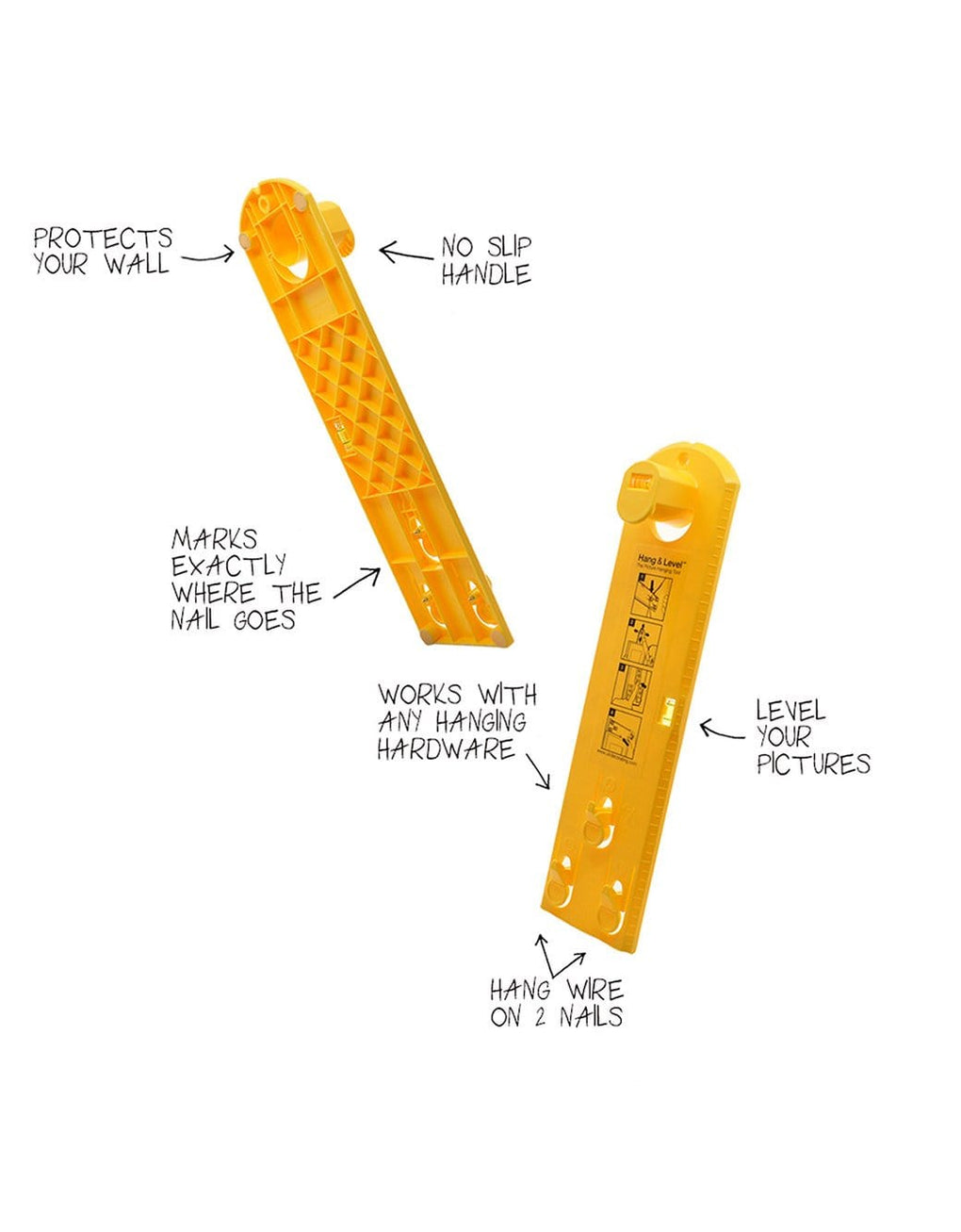
- Marks exactly where the nail goes; Eliminates "mistake" holes
- Easy to use; No measuring or calculating needed
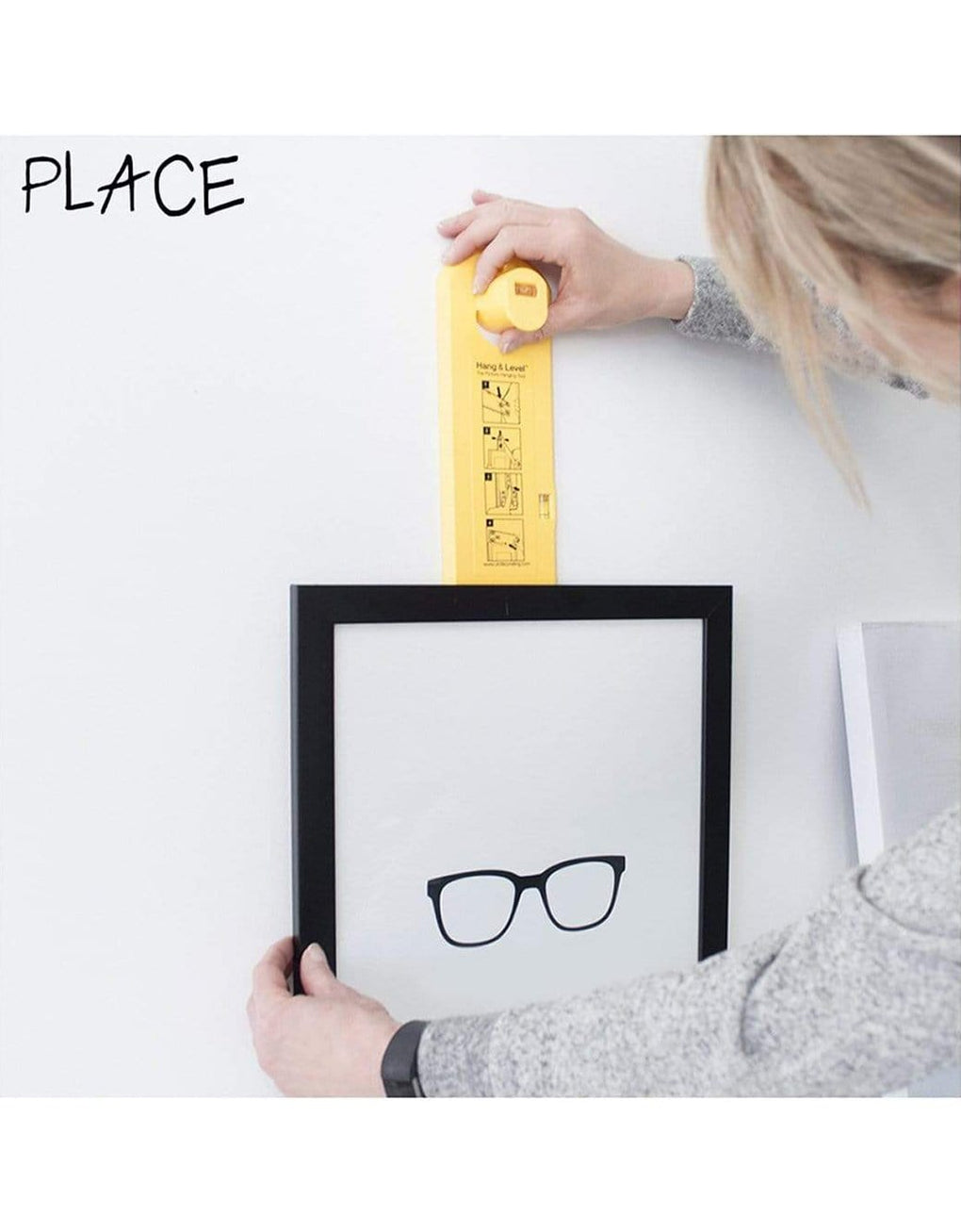
- Hang your items visually - see exactly what it’s going to look like beforehand
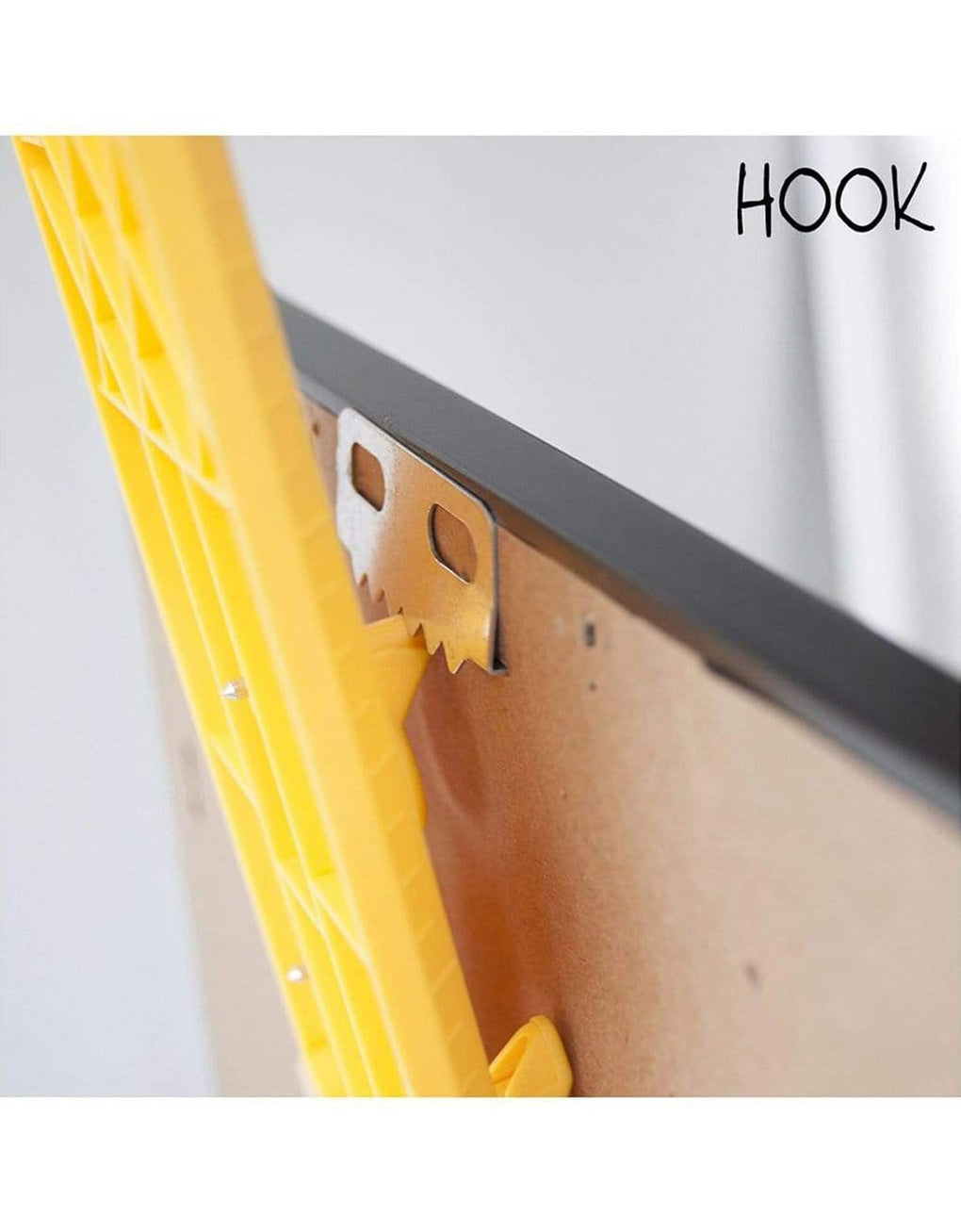
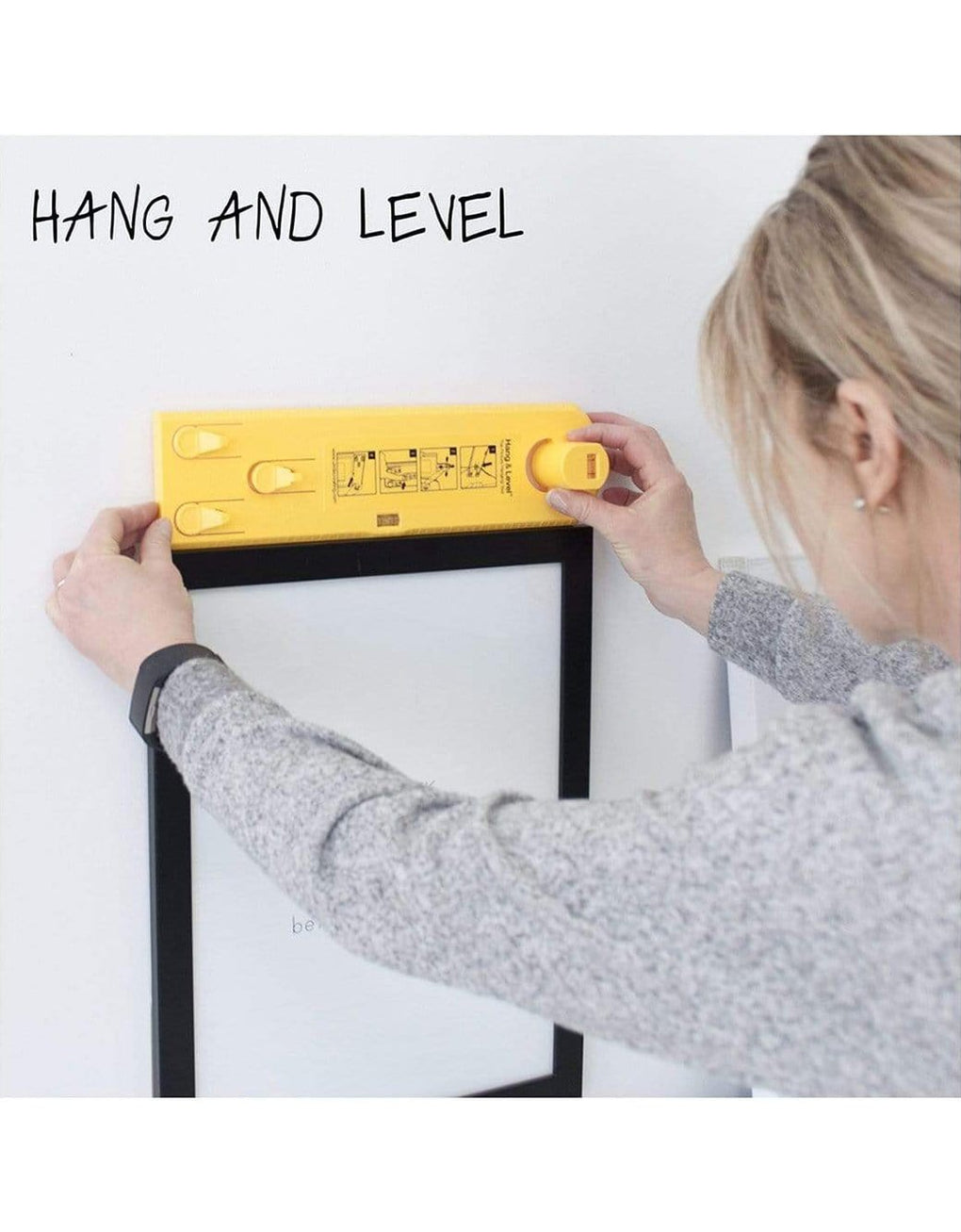
- Single and double hook systems works with all picture hanging hardware, including picture wire, sawtooth hooks, D-rings & keyholes
- Includes bonus samples of DecoNails™ and DecoScrews™
How to make picture hanging easy? Mark exactly where the nail goes!
Let your walls tell your story! The Hang & Level™ picture hanging tool takes the hassle and frustration out of decorating. You can hang any kind of wall décor quickly and easily, every time.

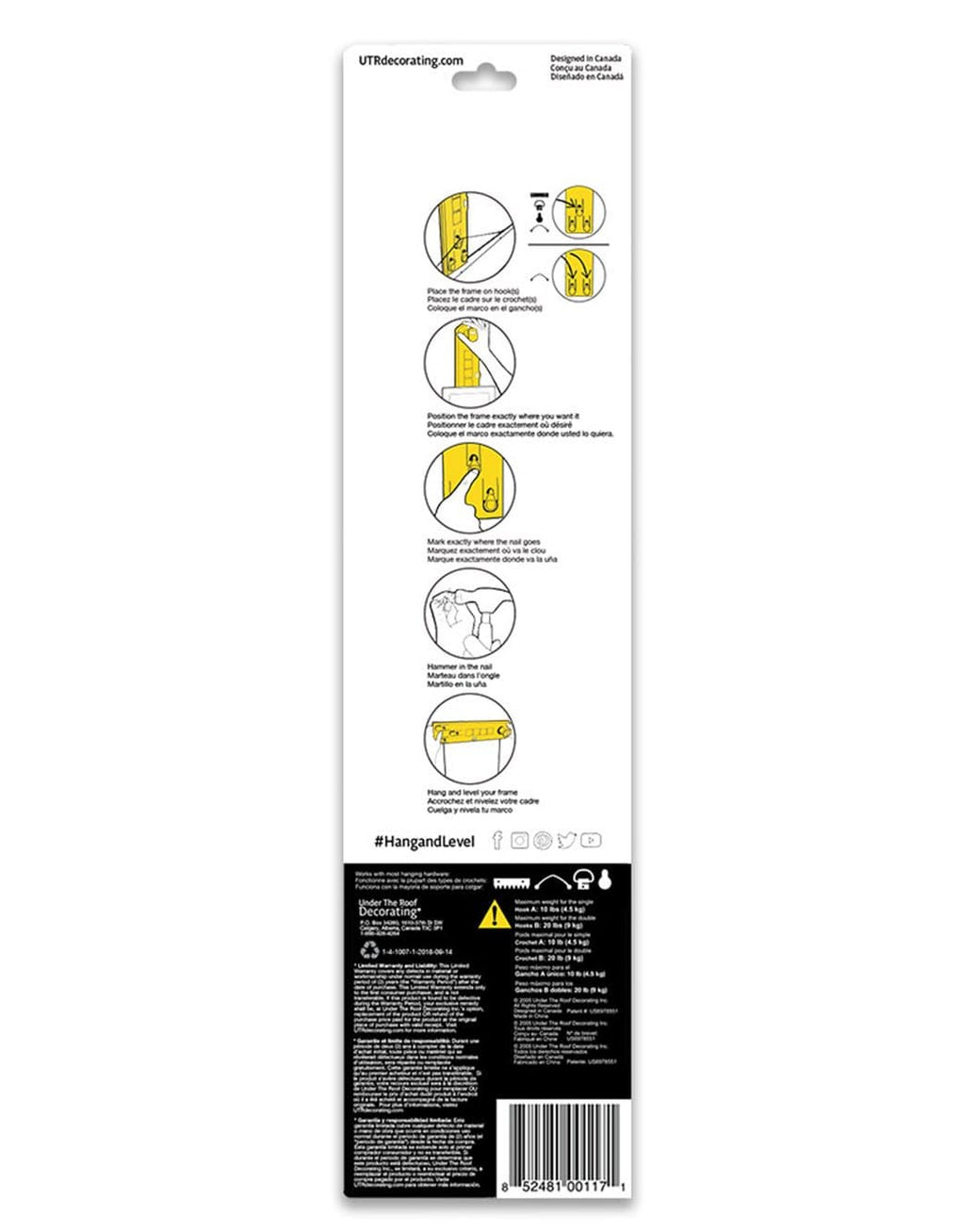
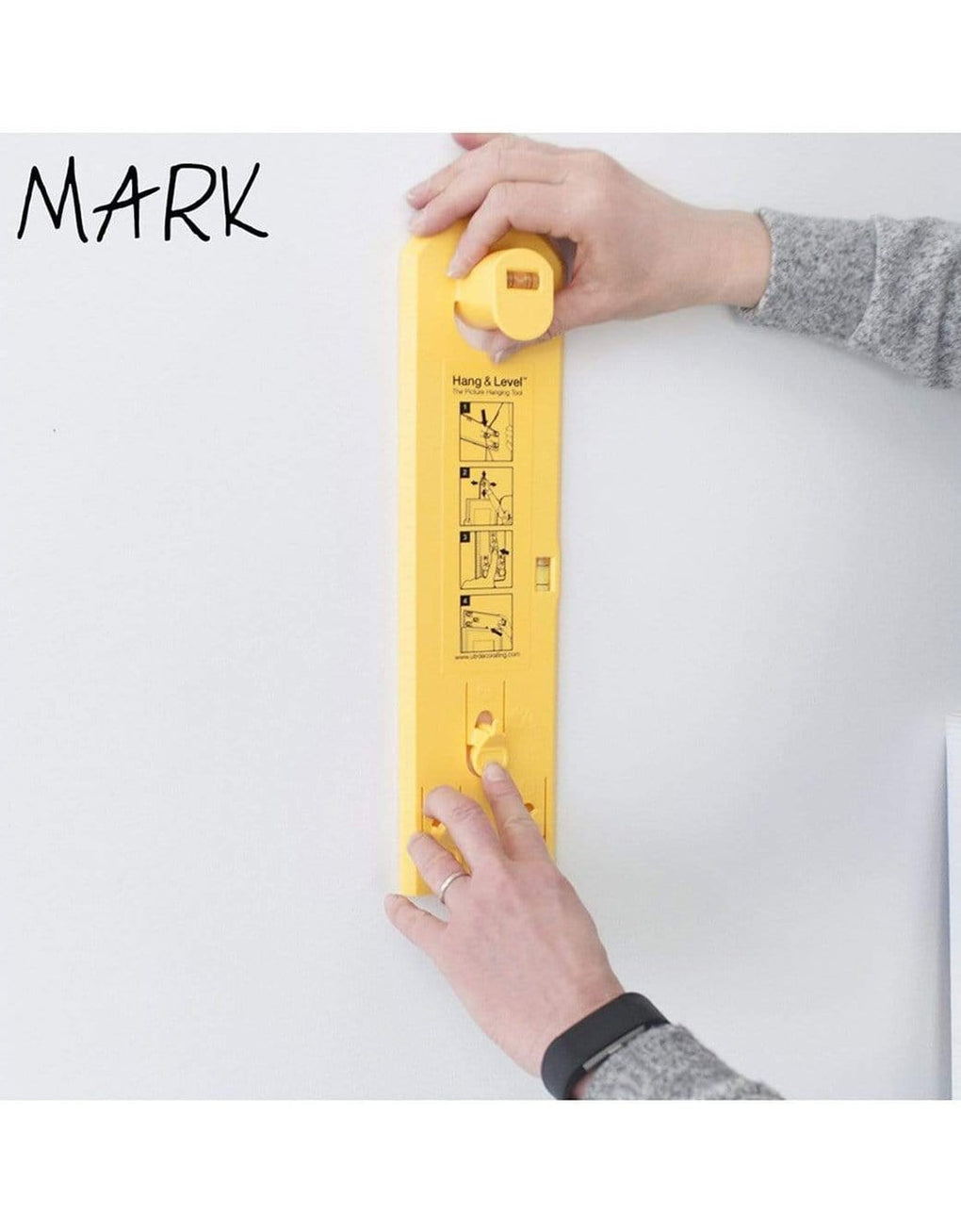
This makes it super easy to line frames up with other frames, pieces of furniture or architectural detail. Once you can see that it's in the right spot, press the button to mark where the nail goes. It's that simple.
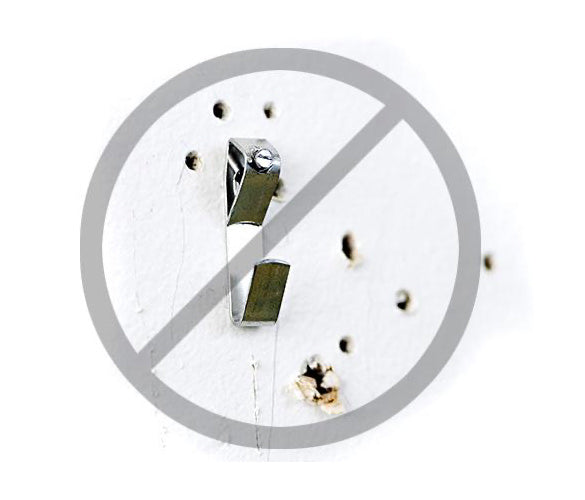
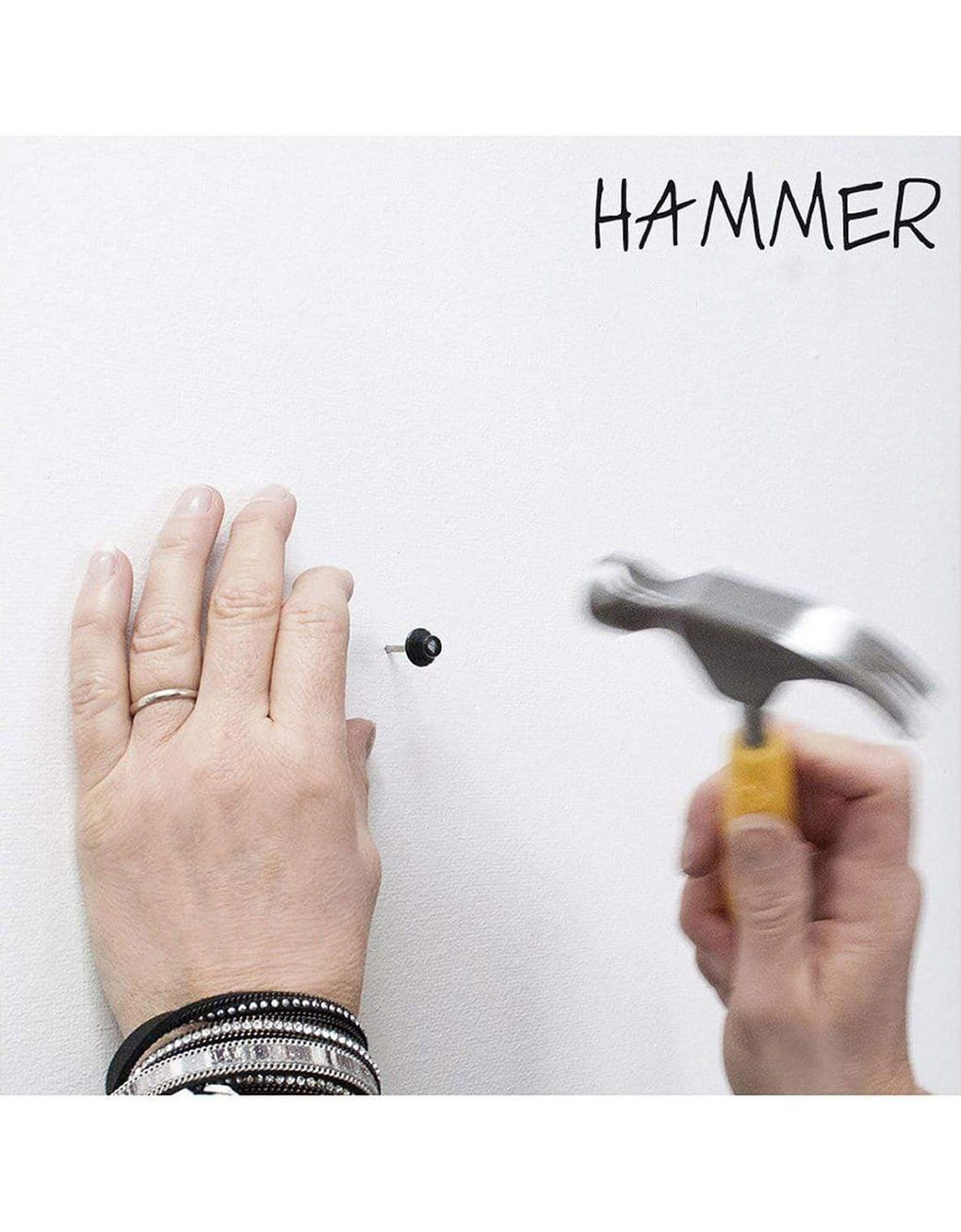
Once you've found the right place on the wall, Hang & Level will mark the spot. Install your nail directly into the mark and your frame will be where you want it, every time.
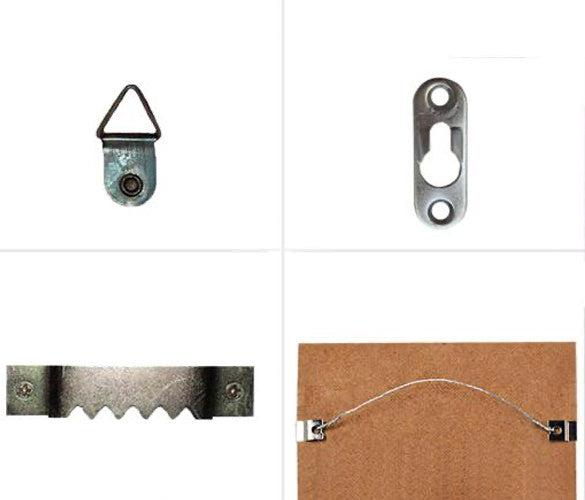
Use the single hook to hang anything with a sawtooth hook, a D-ring, a keyhole or a wire. If you have a picture with wire, you also have the option to use the two hook system for extra security and flexibility.

No more measuring and marking your walls.

With all the right tools at your fingertips, you can spend more time admiring your art and less time figuring out how to get it up there.
Counterfeit products - what you need to know
Counterfeit products are unfortunately becoming a part of the eCommerce landscape, so we’ve put together this page of information to help people avoid buying counterfeit products.
Under The Roof Decorating (UTR) has recently become aware of unauthorized resellers selling a product that appears similar to or indistinguishable from our Hang & Level™ product. These counterfeit products may be using Under The Roof Decorating’s name, copyright, trademarks, patents and other UTR intellectual property. UTR products sold by unauthorized resellers are pirated goods of inferior quality that are not authorized or produced by UTR. These products also infringe on UTR’s intellectual property rights. Please do not purchase unauthorized or counterfeit products. Purchase only genuine Under The Roof Decorating products to ensure quality and your satisfaction.
Why should I care if a product is a counterfeit?
Counterfeit products affect both consumers and manufacturers in a number of ways. For consumers, they are purchasing a product of inferior quality, which may not function correctly, or have broken or missing parts. Counterfeit products are not covered under the manufacturer's warranty, so getting a defective product replaced or refunded is a challenge. For manufacturers, having counterfeit products not only has a financial impact in terms of lost sales, but more importantly, there is a negative impact for our customers and their experience with what they think are legitimate products.
How can I tell if a product is fake?
There are a few things you can do to check to see if the product you are interested in is an authentic one.
Where you buy it
If you are purchasing your product directly from the manufacturer or on a reputable retailer’s website (for example HomeDepot.com), there is a high probability that the product will be authentic.
Purchasing from marketplace sites like Amazon, eBay or Facebook can be more problematic, as the majority of counterfeit products are sold in these channels.
When in doubt, the original manufacturer will be able to confirm that the reseller is an authorized one, and may also include a list on their website similar to this list of UTR's Authorized Resellers.
The price is too low
While everyone likes to get a good deal, shop around and check the manufacturer’s website to find the regular product price. Most manufacturers have a Minimum Advertised Price (MAP) policy with their authorized resellers to ensure advertised prices do not go below a set price. A deal that is too good to be true can often reveal a counterfeit product.
Customer service
Authentic products have the support of the company behind them. Contact the company directly to get any answers about the product, shipping, price and returns policy. Reviews of the product can also be verified using a site like fakespot.com
What to do if you think you have purchased a counterfeit
If you suspect an item you have purchased is a counterfeit, the first step is to let the store, vendor or manufacturer know about it. Check for a list of authorized resellers on the manufacturer’s website, or contact them to confirm the reseller you purchased from is authorized. If you purchased on a third party website like Amazon etc, they often have a mechanism to quickly report listings you think are fraudulent directly on the site. Look for a link labelled “Report Counterfeits” or something similar, and report the counterfeit.
Counterfeit products affect both buyers and sellers alike, so in order to avoid being disappointed, and to receive the product you intended to, keep the items above in mind, and if you have any questions, feel free to contact us at info@utrdecorating.com
Hammer in the nail and hang the picture on it, and put the hanger on the other side onto the single hook of the Hang & Level. Make sure the picture is level, and then keeping the tool against the wall, have your partner remove the picture again, and press the button to mark where to put the second nail. Hammer in the nail and re-hang your picture on both nails and you are done. Q: How do I use Hang & Level with a traditional picture hanging hook or J hook? A: When using a traditional brass hook to hang your picture, nail it into the wall so that the bottom of the hook is on top of the mark made by the Hang & Level. Q: Can I use Hang & Level to hang a picture close to the ceiling? A: In order to use Hang & Level there must be enough room above the frame for the handle of the tool. Unfortunately, this means that there may be situations where you want to hang your picture close to the ceiling, or directly underneath a counter or shelf where the tool cannot be used. Q: How do I use Hang & Level if the spot for the picture is close to a wall or ceiling? A: In order to use Hang & Level there must be enough room above the frame for the handle of the tool. Unfortunately this means that there may be situations where you want to hang your picture close to the ceiling, or directly underneath a counter or shelf where the tool cannot be used. Q: How do I use Hang & Level when my picture is too big to see the tool? A: In order to use the Hang & Level, the handle must be able to clear the top of the frame. If the picture wire is lower than 15 inches from the top edge then the handle will not clear the frame. In this case, you can rewire the frame to position the wire closer to the top of the frame. Another option would be to install a different type of hanging hardware, such as a sawtooth hanger, on the top edge of the picture. Q: How do I hang a large picture with Hang & Level ? A: We’ve designed Hang & Level to make it easy to hang even a heavy or awkward picture by yourself, using the notch at the top of the tool. Once you have found the perfect spot on the wall, level the tool and take a pencil and make a tiny mark in the V shaped notch at the top of the tool. Then you can take both the tool and the picture off the wall together.
Return just the tool to the wall and align the mark you made back to the notch. Check to make sure the level in the handle has the bubble in the center; you know the tool is exactly in the same spot as before. Press the button to mark exactly where the nail goes. Use the level on the tool to get your picture straight. Q: How do I hang a larger picture with Hang & Level when the hooks are more than 2 inches apart? A: Hanging a picture with two pieces of hanging hardware, whether they are DrRings, sawtooth hooks or keyhole hangers, is best done with a partner. Hang one side of the picture on the single hook on the Hang & Level. Together with your partner, bring the picture to the wall and find the right spot. Keeping the tool on the wall, have your partner remove the picture, and then press the button to mark where to put the first nail.
Hammer in the nail and hang the picture on it, and put the hanger on the other side onto the single hook of the Hang & Level. Make sure the picture is level, and then keeping the tool against the wall, have your partner remove the picture again, and press the button to mark where to put the second nail. Hammer in the nail and re-hang your picture on both nails and you are done. Q: How do I use Hang & Level to hang pictures in a vertical grouping? A: Start by hanging the bottom image first and work your way up. Align the centers of the pictures for a balanced look. Q: How do I use Hang & Level to hang pictures in a horizontal grouping? A: Start by hanging the middle image first and work your way out from there. You can align the centers or the bottoms of the pictures for a balanced look. Q: How do I use Hang & Level with a traditional brass picture hanging hook? A: When using a traditional brass hook to hang your picture, nail it into the wall so that the bottom of the hook is on top of the mark made by the Hang & Level. Q: How and when do I use the notch at the top of the Hang & Level? A: We’ve designed Hang & Level to make it easy to hang even a heavy or awkward picture by yourself, using the notch at the top of the tool. Once you have found the perfect spot on the wall, level the tool and take a pencil and make a tiny mark in the V shaped notch at the top of the tool. Then you can take both the tool and the picture off the wall together.
Return just the tool to the wall and align the mark you made back to the notch. Check to make sure the level in the handle has the bubble in the center; you know the tool is exactly in the same spot as before. Press the button to mark exactly where the nail goes. Q: How do I use Hang & Level with heavy items? A: We’ve designed Hang & Level to make it easy to hang even a heavy or awkward picture by yourself, using the notch at the top of the tool. Once you have found the perfect spot on the wall, level the tool and take a pencil and make a tiny mark in the V shaped notch at the top of the tool. Then you can take both the tool and the picture off the wall together.
Return just the tool to the wall and align the mark you made back to the notch. Check to make sure the level in the handle has the bubble in the center; you know the tool is exactly in the same spot as before. Press the button to mark exactly where the nail goes. Q: Can I use Hang & Level to hang canvas art? A: Yes, the Hang & Level picture hanging tool can be used to hang canvas art, or any other type of wall décor that has one of the standard types of hanging hardware (picture wire, D-rings, sawtooth hooks and keyhole hangers). The process is identical to hanging a picture frame.